To make an employee onboarding video without video editing: take your existing HR PowerPoint or PDF, split it into short section decks (about 8–12 slides / under 10 minutes each), generate AI narration, export MP4, and host it in your LMS with completion tracking. Skip the talking-head studio — slide-based MP4s work for policy, benefits, IT setup, and culture overview. The payoff is consistency (every hire hears the same content) and fast updates when policies change: edit 1–2 slides, regenerate those clips, re-export. Live sessions still handle team intros and Q&A.
I wrote this after building a five-section onboarding series from one 48-slide HR deck, then timing an AI partial re-export against a full manual re-record when two policy slides changed.
What Belongs in an Onboarding Video (and What Doesn't)
A common mistake: trying to fit everything into the video. A video handles things that benefit from consistency:
- Company history and mission (3–5 minutes)
- Culture, values, expected behaviors (5–8 minutes)
- Benefits overview and enrollment deadlines (5–10 minutes)
- IT setup and tools overview (5–10 minutes)
- Key policies — attendance, PTO, expense, communication (8–12 minutes)
- Who to contact for what (2–3 minutes)
The things that belong in live sessions: team introductions, role-specific context, Q&A, building relationships. No video replaces those, and trying to include them makes the video feel impersonal in a way that undermines everything else.
Break these into separate short videos rather than one long one. A 45-minute monolithic onboarding video has a completion rate that approaches zero. Five 8-minute videos that a new hire can watch at their own pace, pause, and return to — those get finished. The content is the same; the format determines whether anyone actually watches it.
Building the Deck
Start from existing onboarding materials. Most HR teams already have a deck used for in-person sessions — this is the starting point, not a finished script.
Slides built for live presentation have the same problem as course slides: bullets that need a presenter to expand them. For video, each slide needs to be self-contained. A bullet that says "Review PTO policy in handbook" becomes a slide that explains the key PTO points — how it accrues, when it can be taken, how to request it — with the handbook as a supplement for details.
Aim for 8–12 slides per section, one concept per slide. The narration will do the explanation — the slides are the visual anchor that keeps viewers oriented.
Creating the Narration
Upload the deck to an AI narration tool. For onboarding material — policy-heavy, factual, clearly structured — AI-generated scripts are usually accurate and require relatively light editing. Review specifically for:
Company-specific terminology
The AI doesn't know your internal acronyms, team names, or branded system names. Anything that appears as initials or shorthand on the slide needs to be expanded in the script, or the narration will read it letter-by-letter.
Policy specifics
Verify numbers, dates, and deadlines. Benefit enrollment windows, probation periods, PTO accrual rates — these need to be accurate, and the AI may smooth over specifics that actually matter. Read these sections against the source policy documents.
Tone
Onboarding content should sound welcoming, not bureaucratic. Soften any sentences that feel like legal disclosure copy. New hires are nervous; the narration should lower that temperature, not raise it.
For voice: choose something warm and professional. Overly formal creates distance from new hires on day one. The middle ground — engaged, friendly, clear — is the target. If your HR director's voice already defines company culture for your team, voice cloning is worth considering; that recognizable voice carries more authority than a generic AI voice for policy content.
The Update Problem (and Why It Matters More Than You'd Think)
Onboarding content changes constantly. Benefits packages change annually. Policies get revised mid-year. New tools replace old ones. The production workflow you choose determines whether updates are a 15-minute task or a reason to delay for another quarter — and the delay is always what happens.
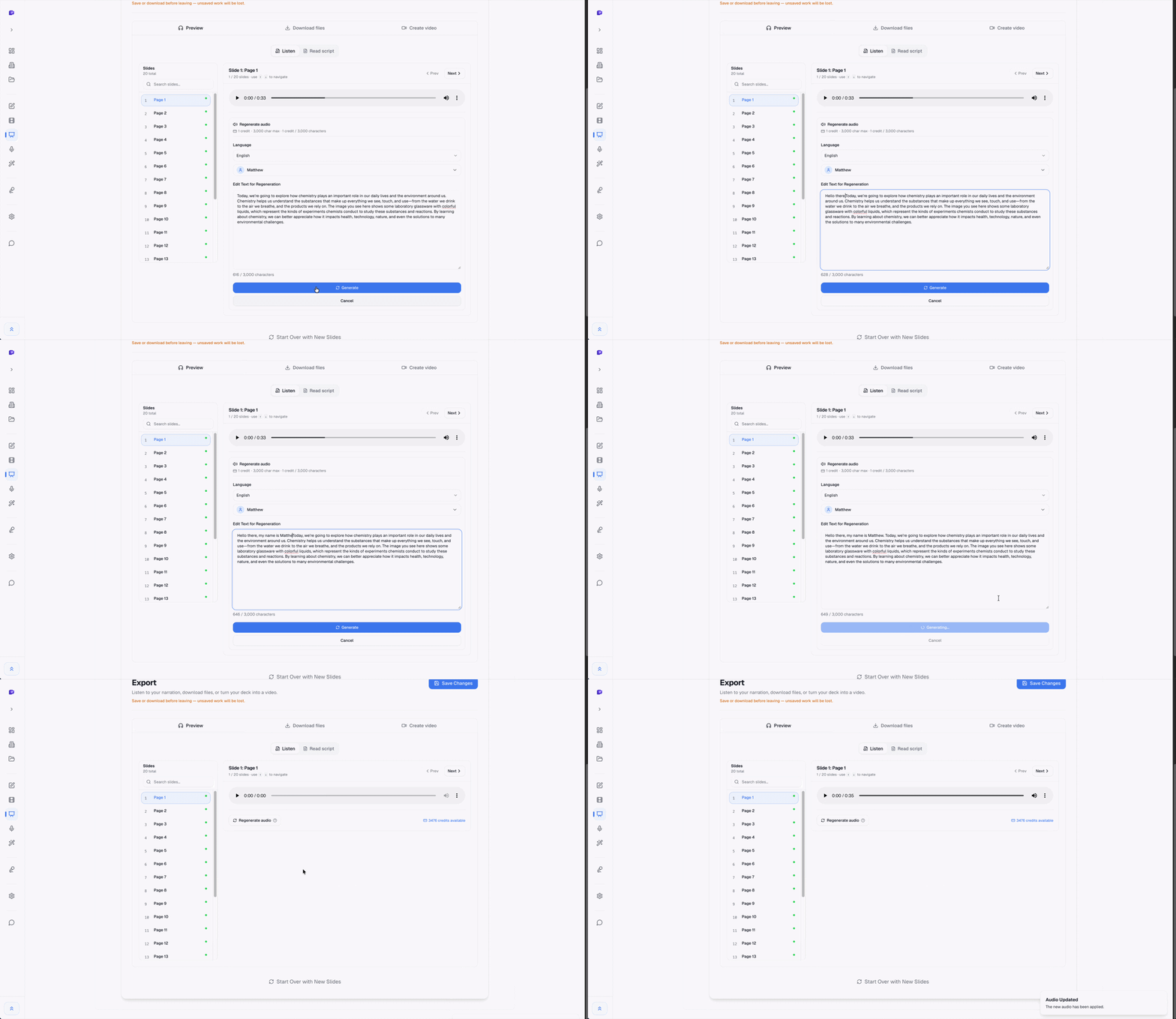
With AI narration, the update process:
- Update the relevant slides
- Re-generate audio for those slides only
- Re-export the video section
Total time: 15–30 minutes per update. Compare that to re-recording sessions, which require a quiet room, the right person available, and editing time afterward. Most teams don't update recorded onboarding content because re-recording is too painful — which means new hires get stale information until someone notices.
Distributing the Video
Before Day 1 is better than Day 1
New hires who've watched the overview video before their first day arrive with context. The first day isn't consumed by "here's how we do expenses" and "here's where the bathroom is." They can ask better questions, engage more in team introductions, and start contributing faster. Sending the video series as part of the offer acceptance email is a low-effort way to make this happen.
Completion tracking
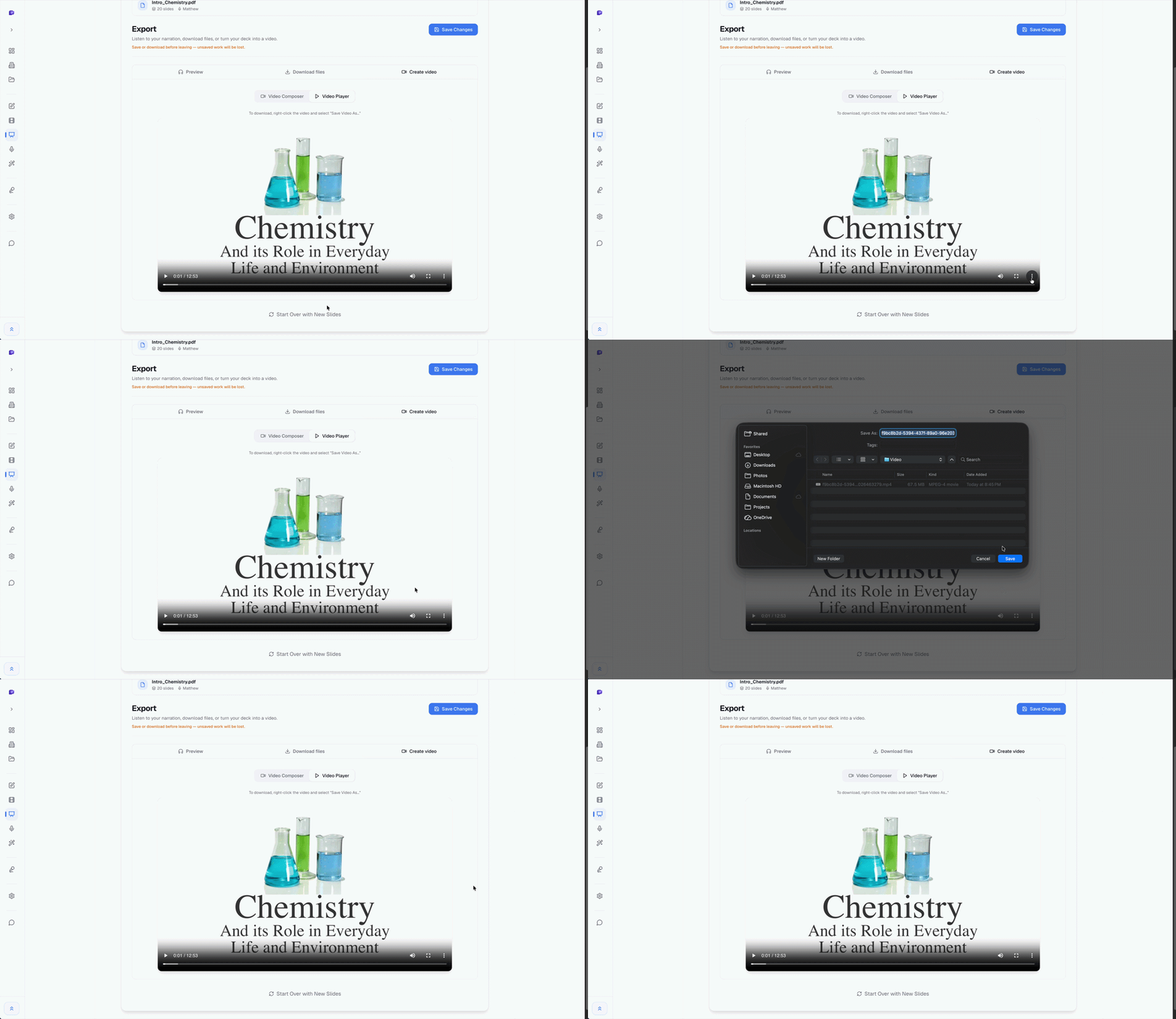
If your onboarding includes required policy acknowledgments, use an LMS that tracks video completion — not just document receipt. "I emailed them the link" is not a compliance record. Most HRIS platforms and standalone LMS tools support completion tracking for video content.
Language versions
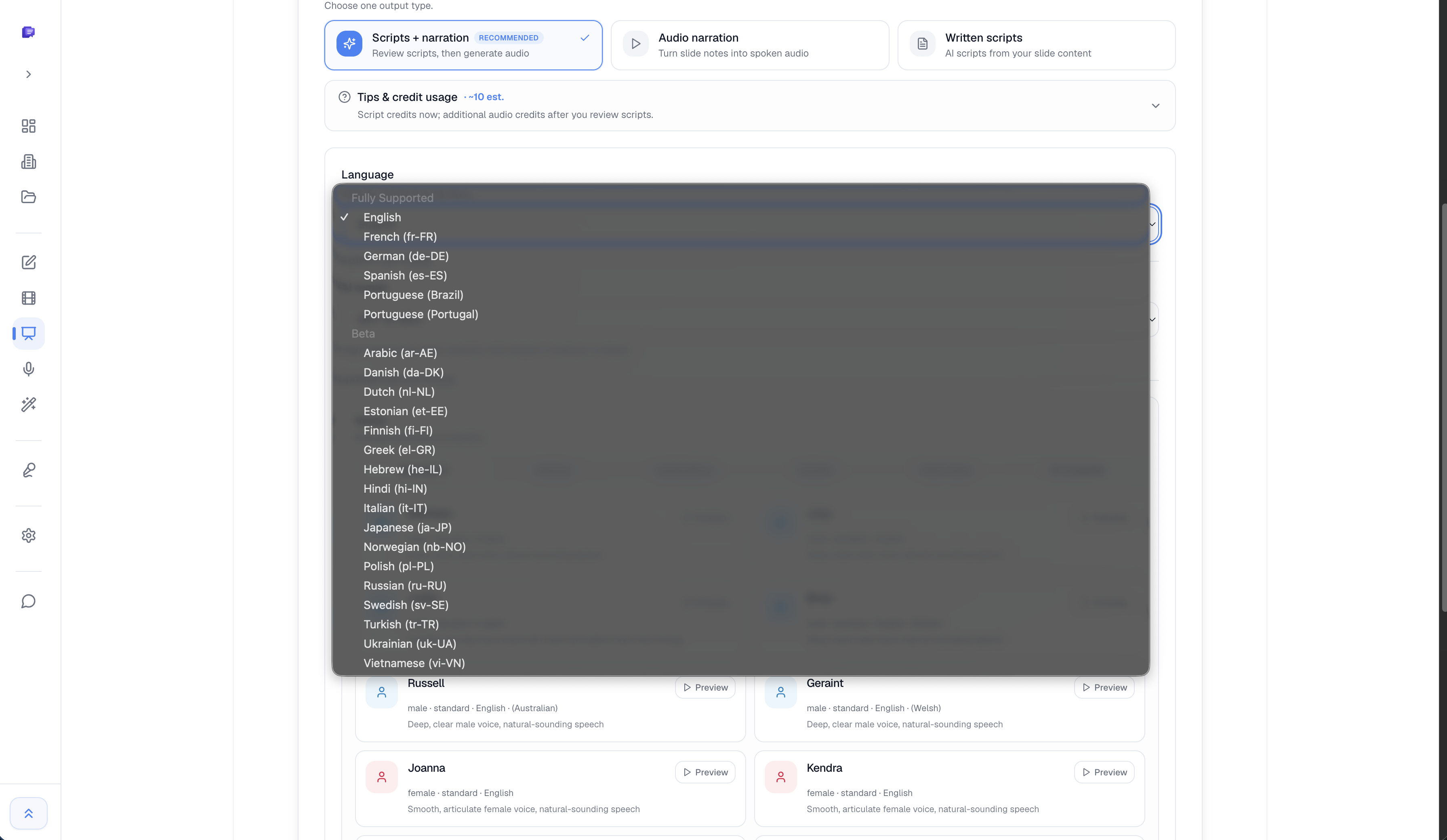
If you have global teams, generating narration in additional languages takes about 30 minutes per language with most AI narration tools. The same slides, translated scripts, native-language voices. For teams where English is a second language, this removes a real comprehension barrier for policy-critical content.
Keeping It Current
Set a calendar reminder to review onboarding videos quarterly. Check each video against:
- Current benefits (especially during open enrollment)
- Current policy documents
- Current tool stack
- Current org chart and contact list
A stale onboarding video is worse than no video. New hires who follow outdated instructions — wrong benefit enrollment steps, deprecated software, a contact who left the company — create support tickets, lose trust in the materials, and sometimes develop the impression that the company is disorganized before they've even met their manager. The quarterly review takes about an hour and prevents all of that.
Frequently Asked Questions
- How long should an employee onboarding video be?
- Keep individual videos under 10 minutes. A full series of 5–7 videos totaling 40–60 minutes is typical for a comprehensive onboarding program. The shorter videos are more likely to actually get watched — and more likely to be watched in the right order.
- What software do you need to make an onboarding video?
- If you have a PowerPoint or PDF deck, you don't need video editing software. An AI narration tool can generate narration and export MP4 directly. The only tool you need beyond that is wherever you host and distribute the video.
- Should onboarding videos have closed captions?
- Yes — for accessibility compliance and for employees watching in open offices or at home with family around. Captions can be added automatically via YouTube, Vimeo, or your LMS after upload. This takes about 5 minutes and requires review for accuracy.
- How often should onboarding content be updated?
- At minimum annually, during benefits open enrollment season. More frequently for anything involving policy, tools, or org structure — these change faster than most HR teams update their content. The case for AI narration is partly that it makes those updates fast enough to actually happen.
Related guides
- How to update a narrated PowerPoint video — keep narration when policies change: content match, remap, 1→1
- How to add narration to a PowerPoint — three methods when HR decks need voiceover without a studio
- How to convert PowerPoint to MP4 with audio — LMS-ready export with narration on each slide
- SlideNarrator vs PowerPoint Record — why update cycles matter for policy and benefits videos
Build your onboarding video library once
SlideNarrator lets you update individual slides in minutes when policies change. Free to start.
Get started free →Written by
Sunny
Founder, SlideNarrator